Karpathy's Knowledge Base in Claude Cowork. What it does and doesn't do.
For teachers, publishers, and social organizations. How a UX lens changes how you see AI, and what Andrej Karpathy's knowledge base experiment teaches you about designing context.

For teachers, publishers, and social organizations that want to put AI to work without turning it into an IT project.
The questions I get lately increasingly come from outside the tech and e-commerce world. A vocational teacher who wants to know whether AI can lighten her lesson prep. An educational publisher who doubts whether AI is reliable enough for a curriculum editorial team. A program manager at an international aid organization asking: how do we make sure twenty years of field knowledge doesn't evaporate with every team change?
It's the same question in different words every time: what actually is AI in practice, and how should we look at it?
My own roots are in IT, but my answer comes from a different corner: Communication & Media Design. In practice, AI is not a technology problem but an interface problem. And the best example I know to explain that is an experiment by Andrej Karpathy (one of the best-known AI researchers in the world) that has surprisingly little to do with technology. You don't need to be able to code for it. Really not.
The UX lens: AI is not an oracle but an interface
At its core, a UX designer does one thing: translate complexity so people can work with it. Not redesigning the engine, but the dashboard. That exact lens helps with AI.
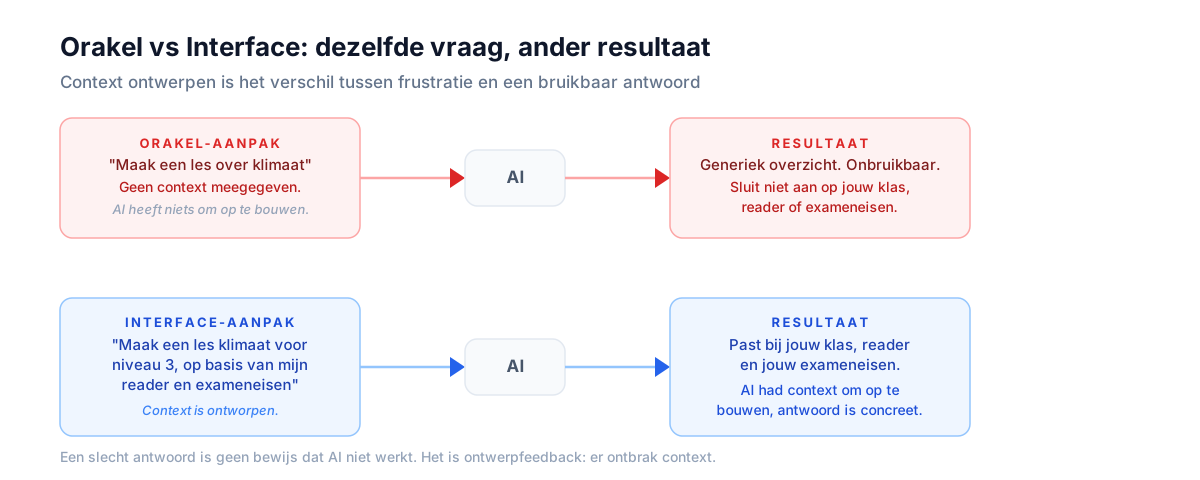
Most disappointments with AI come from treating it like an oracle. You ask a question, get a generic or wrong answer, and conclude: "it doesn't work." Sound familiar? Then I have good news, because there's a more productive way of looking at it.
Treat AI as an interface. A language model only knows what you make findable for it. A bad answer is then not proof that AI doesn't work, it's design feedback. Context was missing. And context is something you can design.
That's not a prompt trick but an attitude. Once you've internalized it, you never look at a chat window the same way again.
The example: Karpathy's knowledge base
On April 3, Karpathy published a short explanation of how he runs his personal knowledge base: a folder of text files that an AI maintains itself. No Notion, no database, no subscription. The post went viral, and rightly so, because it's the clearest example of "designing context" that exists.
Why this took off
One of the best AI researchers in the world uses no clever software, just folders of text files and clear agreements.
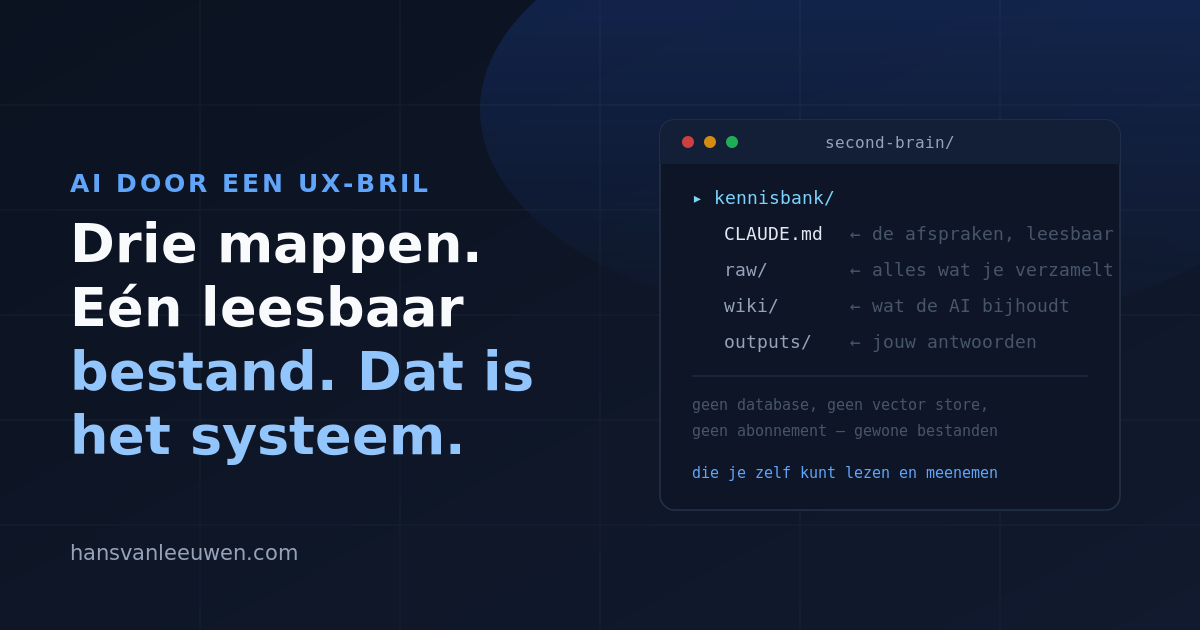
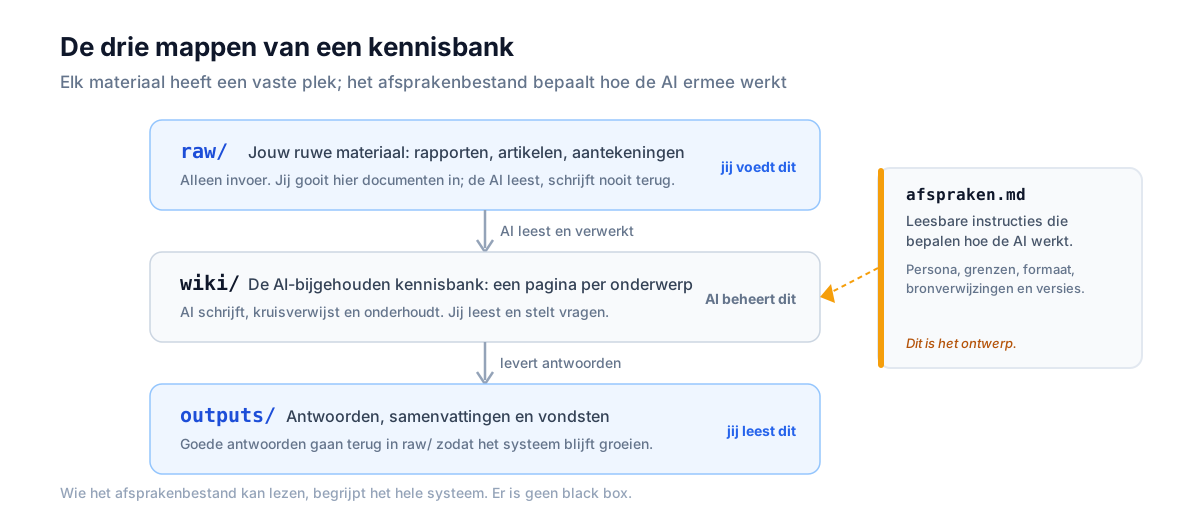
The whole setup fits on a napkin: one folder per topic, containing a folder for raw material (raw/), a folder the AI maintains (wiki/), a folder for answers (outputs/), and one readable agreements file. I rebuilt it in Claude Cowork and now run my own work on it.
The agreements file is the design
This is where it gets genuinely interesting for non-technical readers. The entire "programming" of this system is a text file you can simply read. A fragment from my version, translated:
You manage this knowledge base like a librarian.
raw/: unsorted material. Read from it only, never write into it.
wiki/: your work. One topic per page, link pages to each other.
Mark every claim without a source as [source needed].
Do sources contradict each other? Include both, with attribution.
Never delete anything. Replace with a dated note.
Look at it again through the UX lens. "Behave like a librarian" is a persona. "Mark claims without a source" is a design choice for reliability. "Never delete, date and replace" is version control in plain language.
Anyone who can read this file understands the whole system. There is no black box. And that is exactly the difference between using AI and deploying AI.
The five-step loop
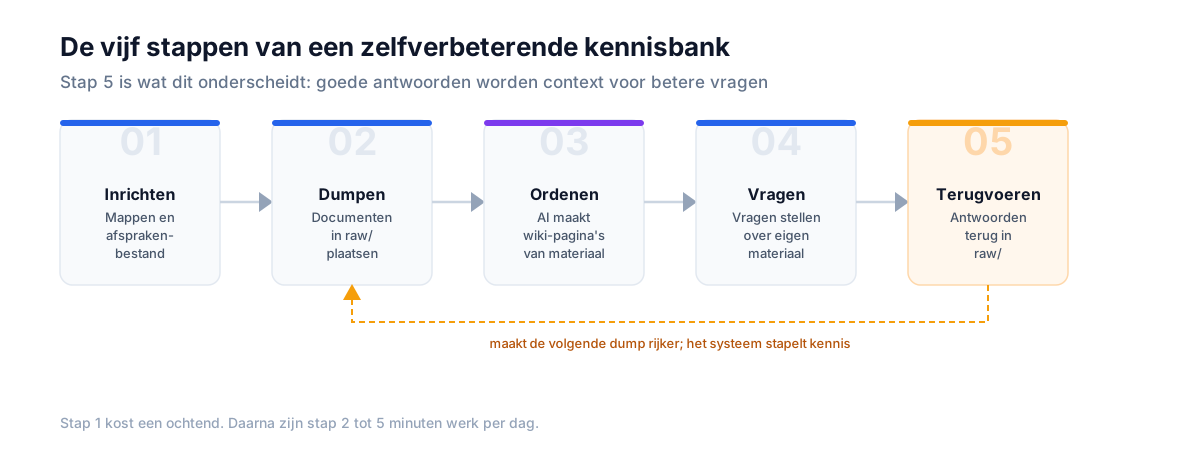
In practice, the system runs as a simple loop:
1. Set up: create the folders and the agreements file.
2. Dump: throw your documents, reports, and notes into raw/.
3. Organize: let the AI turn them into wiki pages according to your agreements.
4. Ask: ask questions about your own material.
5. Feed back: good answers go back into the knowledge base.
Step 5 is where this differs from every note-taking app you've ever tried. A note app stores; this system compounds. The question you ask today is context for a better question tomorrow. That's why it gets better with use instead of just fuller.
For the vocational teacher: your material, your control
This sounds like something for tech people, but the strongest applications I see are in education.
Imagine a knowledge base per subject, filled with your own readers, articles, practical assignments, and qualification requirements. The question then changes fundamentally. No longer "ChatGPT, make a lesson" (the oracle, with a generic result you can't use anyway), but: "make a lesson on this topic for level 3, based on my own material" (the interface).
You notice the difference immediately. The lesson connects to what your students have already covered, uses your examples, and refers to your exam requirements. You remain the source and the judge; the AI organizes and translates. Your craftsmanship isn't replaced. It's made findable.
And for anyone worried about reliability: that agreements file is your safety net. "Mark every claim without a source" means the AI can't quietly make things up in your teaching material. You see exactly where everything comes from.
For educational publishers: the editorial process as design
For those who make textbooks and curricula, the gold sits in two agreements from the file above: every claim without a source gets marked, and contradicting sources are placed side by side.
That is precisely the craft of a curriculum editorial team, only continuous, instead of once per print run. Outdated chapters stand out before the deadline, not after. And because the system never throws anything away but dates and replaces, you always have the history of a claim at hand.
For social organizations: institutional memory that stays
At social and international organizations, the problem is rarely a lack of knowledge. The problem is that this knowledge lives in heads, mailboxes, and forgotten evaluation reports, and leaves the moment people leave.
Think of an international aid organization: field reports from dozens of countries, program evaluations, lessons learned per region, donor reports. A knowledge base built on this model turns all of that into one searchable memory. The question "what do we actually already know about this theme in that region?" becomes a ten-second question, instead of three weeks of emailing colleagues who might once have known something about it.
And because the agreements are readable ("place contradicting sources side by side, with attribution"), this fits organizations where diligence isn't a luxury but a requirement. The AI summarizes and connects; the organization stays in control of what is true.
Does it actually work? My own logs
I've been running this for a few weeks now with two knowledge bases side by side: one for my marketplace work, one for personal research.
Two weeks from my own logbook
The AI connected documents I would never have placed side by side myself. That's the win: not typing faster, but remembering better.
If you want to see how the same design attitude works in customer-facing interfaces: I wrote Designing with LLMs earlier about exactly that translation.
Where this doesn't work
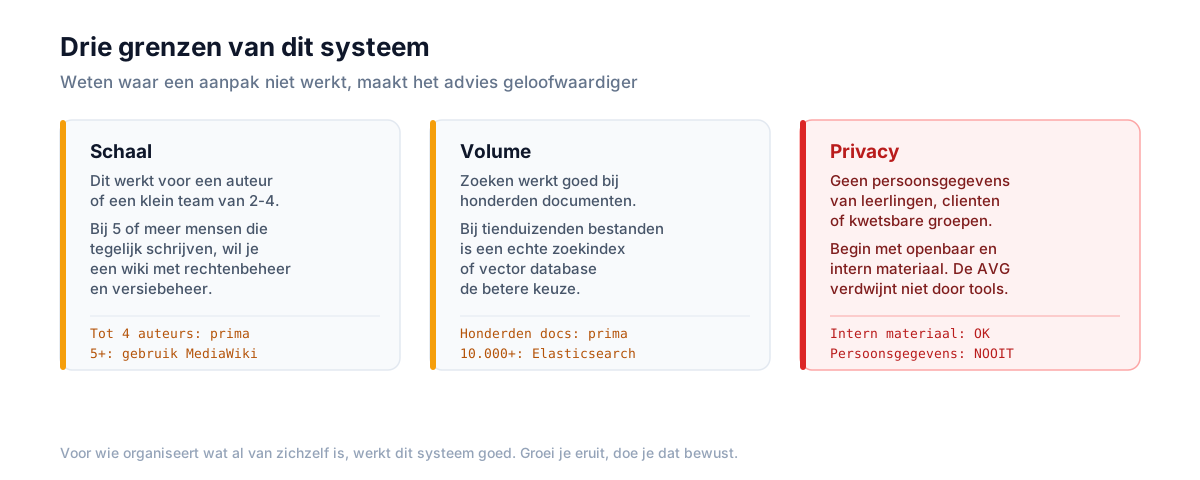
Honest advice also names the limits, because I'm not trying to sell you anything:
- Scale. This is a system for one author or a small team. With five or more people writing simultaneously, you really want a wiki with permission management.
- Volume. The search isn't built for tens of thousands of documents.
- Privacy, the most important one. For education and social organizations there's one hard rule: no personal data of students, clients, or vulnerable groups in such a folder. Start with public and internal material. The GDPR doesn't disappear because the tool is convenient, and organizations working with vulnerable people in particular need to be the strictest here.
Start with one topic, one morning
You don't need an IT department for this. No budget request, no procurement, no steering committee. What you need:
- one folder,
- one agreements file (feel free to copy the fragment above),
- a handful of documents to test with,
- and a morning of curiosity.
If it delivers nothing after a week, you delete a folder, that's the entire damage. If it does work, you have something that gets more valuable every week and stays fully yours. After all, they're just your own files.
Applying AI in practice doesn't start with the tool, but with the question of which knowledge you want to make findable. For a teacher, that's your subject material. For an editorial team, your source apparatus. For a social organization, your collective memory.
That's not a technical question. That's a design question, and you can answer it today.
Sources and further watching
- Video: Stop Using Obsidian. This Simple Second Brain Setup Actually Works (Karpathy + Claude Cowork)
- LLM Wiki, Karpathy's original idea file (GitHub Gist)
- What Is Andrej Karpathy's LLM Wiki? (MindStudio)
- Karpathy's Second Brain: A Wiki the AI Writes For You (Angelo Lima)
- A complete guide to the Karpathy method (Zero Future Tech)
Want to spar about your marketplace strategy?
No hype. A sober look at where your growth is and where margin leaks away.
Get in touch